
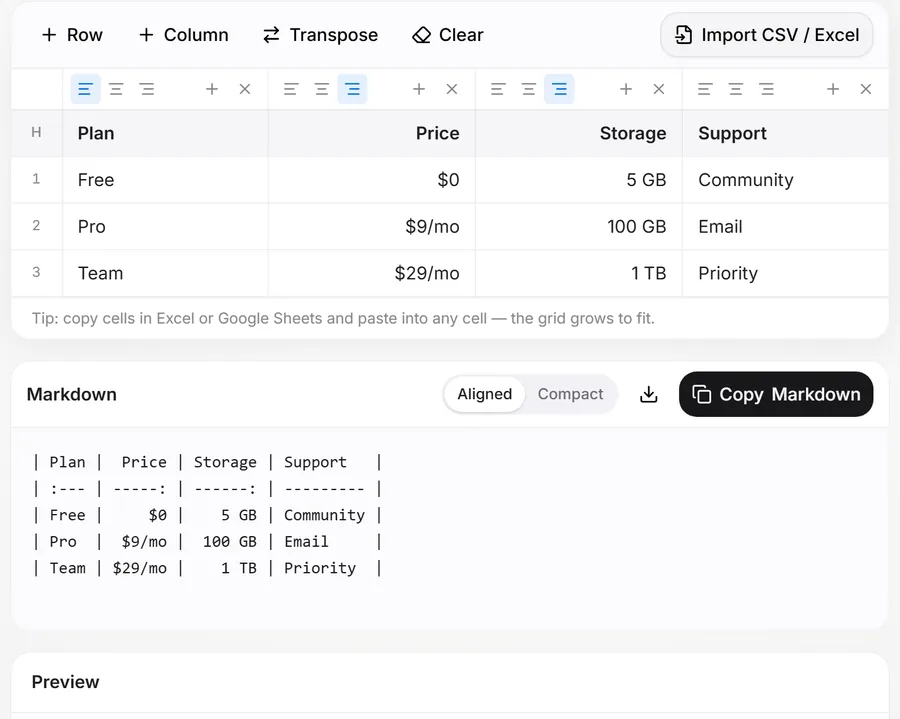
| H | ||||
| 1 | ||||
| 2 | ||||
| 3 |
Tip: copy cells in Excel or Google Sheets and paste into any cell — the grid grows to fit.
Markdown
| Plan |  Price | Storage | Support   |
| :--- | -----: | ------: | --------- |
| Free |     $0 |    5 GB | Community |
| Pro  |  $9/mo |  100 GB | Email     |
| Team | $29/mo |    1 TB | Priority  |
Preview
From Spreadsheet to README in Seconds
Paste a Whole Range at Once

Tidy Up a Messy Table

Alignment That Sticks

Cells That Won't Break the Table

Preview Before You Paste

How to Make a Table in Markdown
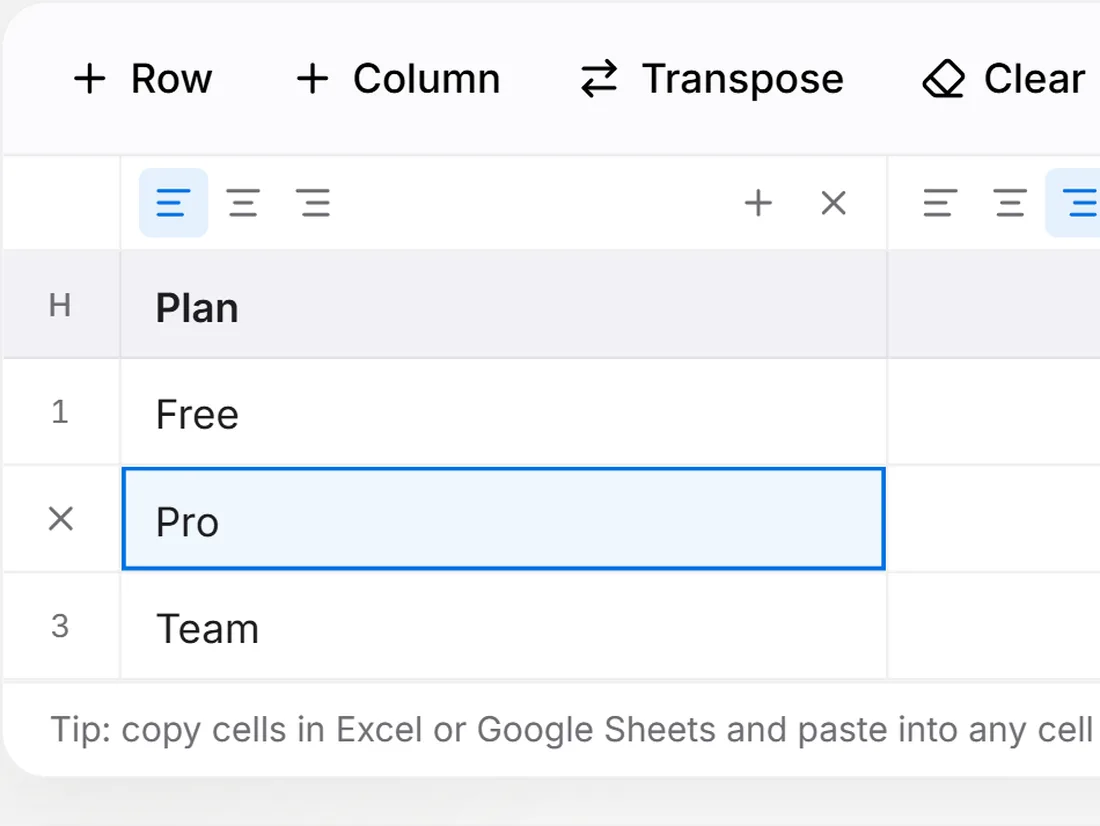
Fill In the Grid or Paste Cells
Type headers and values, or paste a range copied from a spreadsheet into any cell.
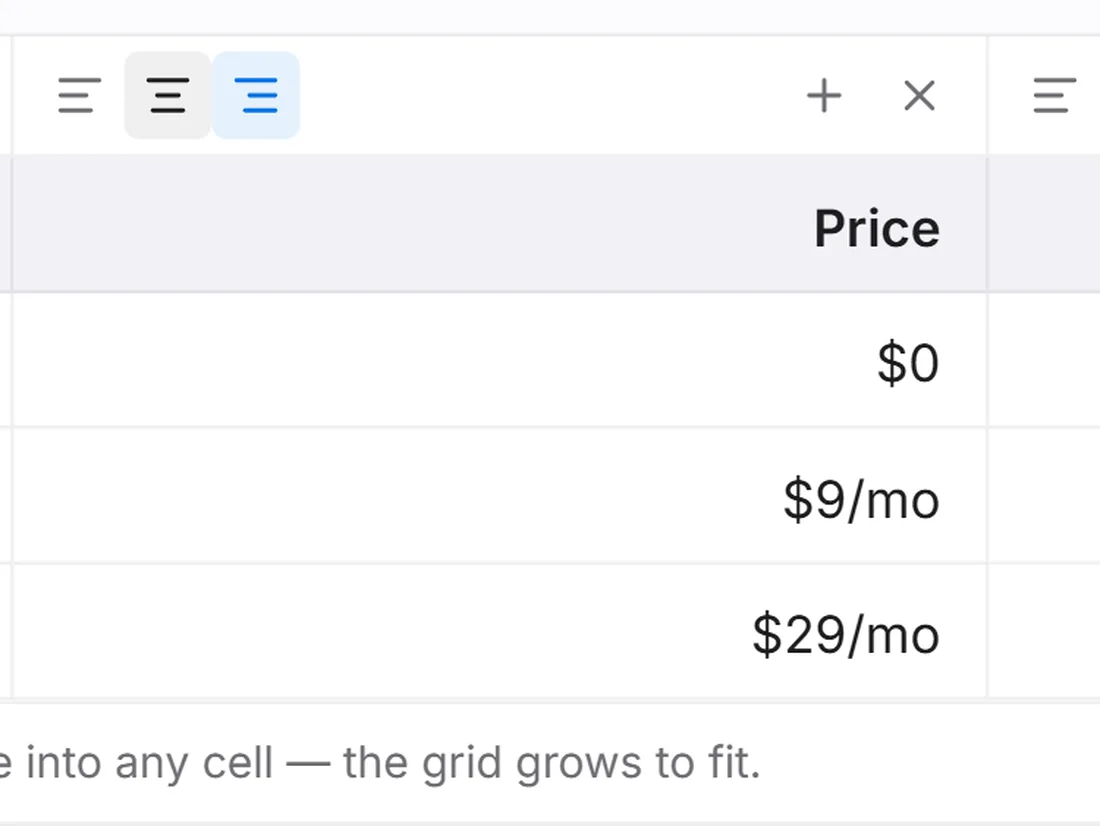
Set Alignment
Choose left, center or right for each column, and add or remove rows and columns.
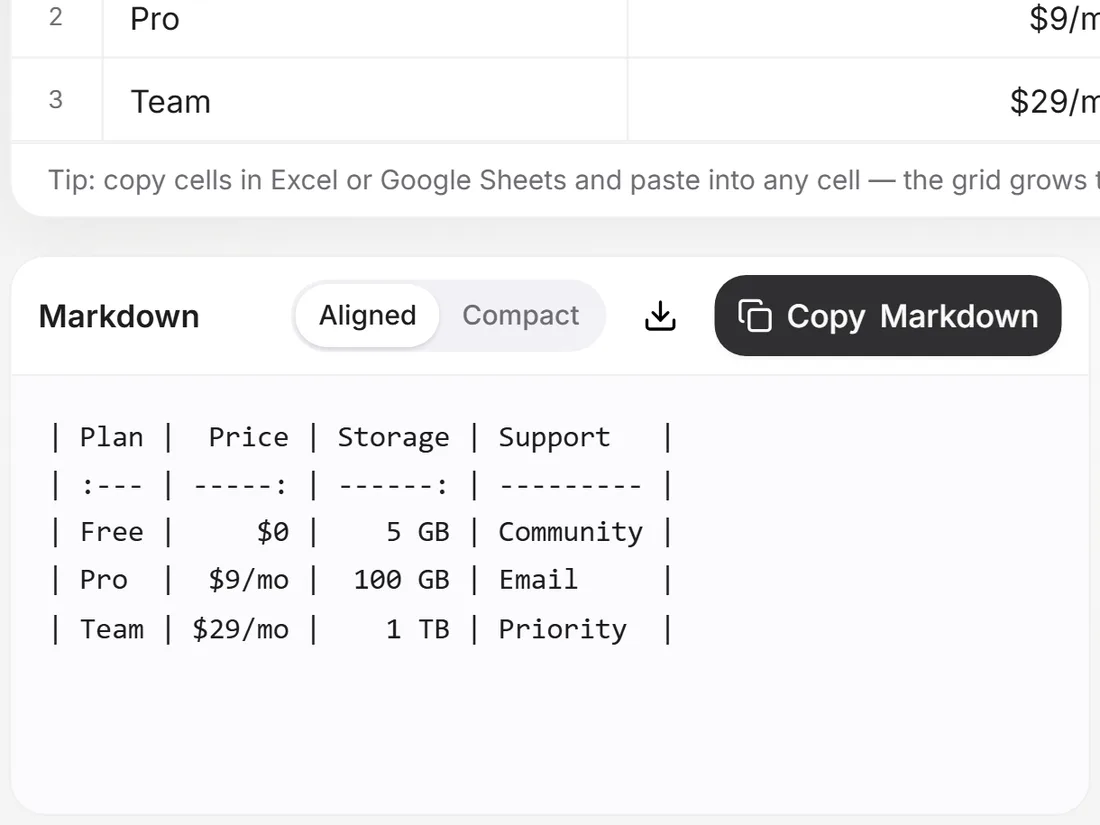
Copy the Markdown
Click Copy Markdown and paste the table into your README or document.
Markdown Table Generator FAQ
How do I make a table in Markdown?
Write a header row with cells separated by |, then a separator row of dashes, then one line per row. This generator writes all of it for you.
How do I align columns in a Markdown table?
Add colons to the separator row: :--- for left, :---: for center and ---: for right. Here, use the alignment buttons above each column.
Can I paste from Excel or Google Sheets?
Yes. Copy the cells and paste them into any grid cell. The pasted block starts at that cell, and the grid grows to fit.
Why isn't my Markdown table showing as a table?
Usually a blank line is missing above the table, the separator row is missing, or a | inside a cell wasn't escaped. Code from this generator avoids the last two — just leave a blank line above it.
Can I merge cells or add line breaks?
Markdown tables can't merge cells. For a line break inside a cell, use <br> — line breaks pasted from a spreadsheet are converted automatically.
Will the table work on GitHub?
Yes. The output is GitHub Flavored Markdown, which GitLab, Obsidian and most Markdown editors also render.
How big can a table be?
Up to 30 columns and 500 rows. Nothing is uploaded — the grid and the code stay in your browser.