
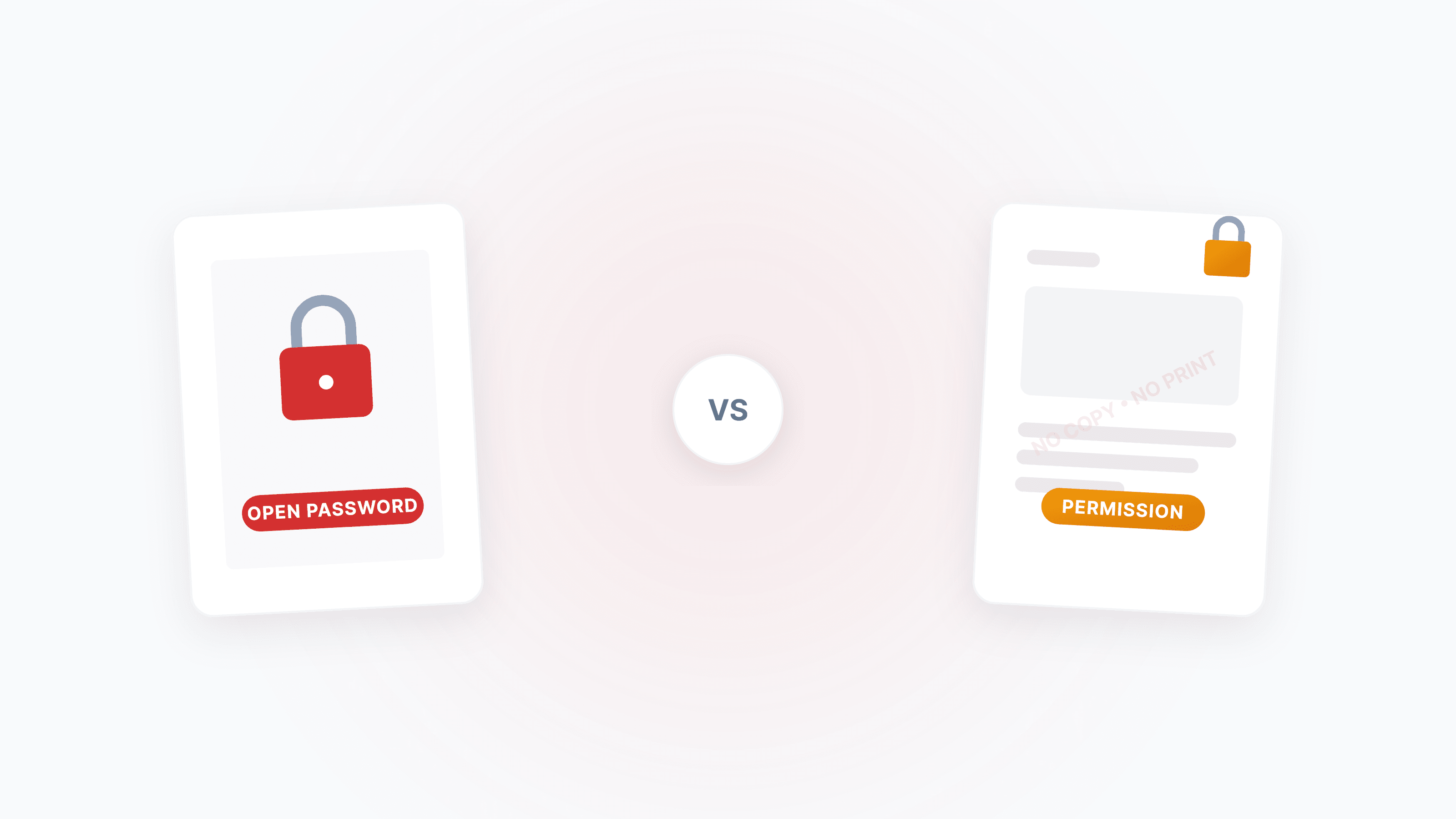
Have you ever been confused by this: you set a password on a PDF, yet someone else can freely copy the content? Or the opposite — a PDF won't open no matter what password you try?
These two experiences correspond to two entirely different password mechanisms in PDF. Understanding the difference helps you protect your documents properly and, where legally appropriate, remove unnecessary restrictions.
Which situation are you facing?
- PDF won't open, prompts for a password → This is an "Open Password" (User Password), a true encryption safeguard. Read Section 1 below.
- PDF opens fine, but print/copy/edit buttons are grayed out → This is a "Permission Password" (Owner Password), which can be removed instantly with Unlock PDF.
- Not sure which one? → Upload to Unlock PDF and the tool will detect it automatically.
Open Password: Cryptographic-Grade True Encryption
The Open Password (Document Open Password, also called User Password) is the only hard protection in the PDF security system. When set, document content is encrypted at the storage level using AES or RC4 — reading the raw binary data yields nothing but meaningless ciphertext.
How Does It Work?
The password itself doesn't directly participate in encryption. Here's the full process:
- File Key Generation: The PDF software randomly generates a File Key, which encrypts all strings and data streams in the document via AES/RC4
- Password → Key Verification: Your input password is hashed (SHA-256 / MD5), and the resulting value is compared against the verification entry in the PDF encryption dictionary
- Match → Unlock the File Key: Once verified, the system derives the File Key, and the reader can then render text, images, and forms
This means: no correct password = mathematically impossible to read the content. This unreadability is guaranteed by cryptographic strength, completely independent of whether the reader is "compliant."
Open passwords cannot be bypassed
For PDFs encrypted with AES-256 + PBKDF2 (Revision 6), even top-tier GPUs (like the NVIDIA A100) can only attempt a few thousand passwords per second due to high-iteration key stretching. A 12-character mixed password would take centuries to brute-force. The only way to crack it is to know the password itself.
The Evolution of Encryption Algorithms
The history of PDF encryption is essentially a chronicle of algorithm deprecation. Early weak encryption offers zero security today:
| Encryption Version | Algorithm | Key Length | Security Assessment |
|---|---|---|---|
| Revision 2 (Acrobat 3/4) | RC4 | 40-bit | ❌ Cracked in seconds; key space only 2⁴⁰ |
| Revision 3 (Acrobat 5/6) | RC4 | 128-bit | ⚠️ Statistical vulnerabilities in the algorithm; susceptible to rainbow table attacks with MD5 |
| Revision 5 (Acrobat 9+) | AES-CBC | 256-bit | ✅ SHA-256 verification, strong enough |
| Revision 6 (PDF 2.0) | AES-CBC | 256-bit | ✅✅ PBKDF2 key stretching; GPU brute-force cost is prohibitive |
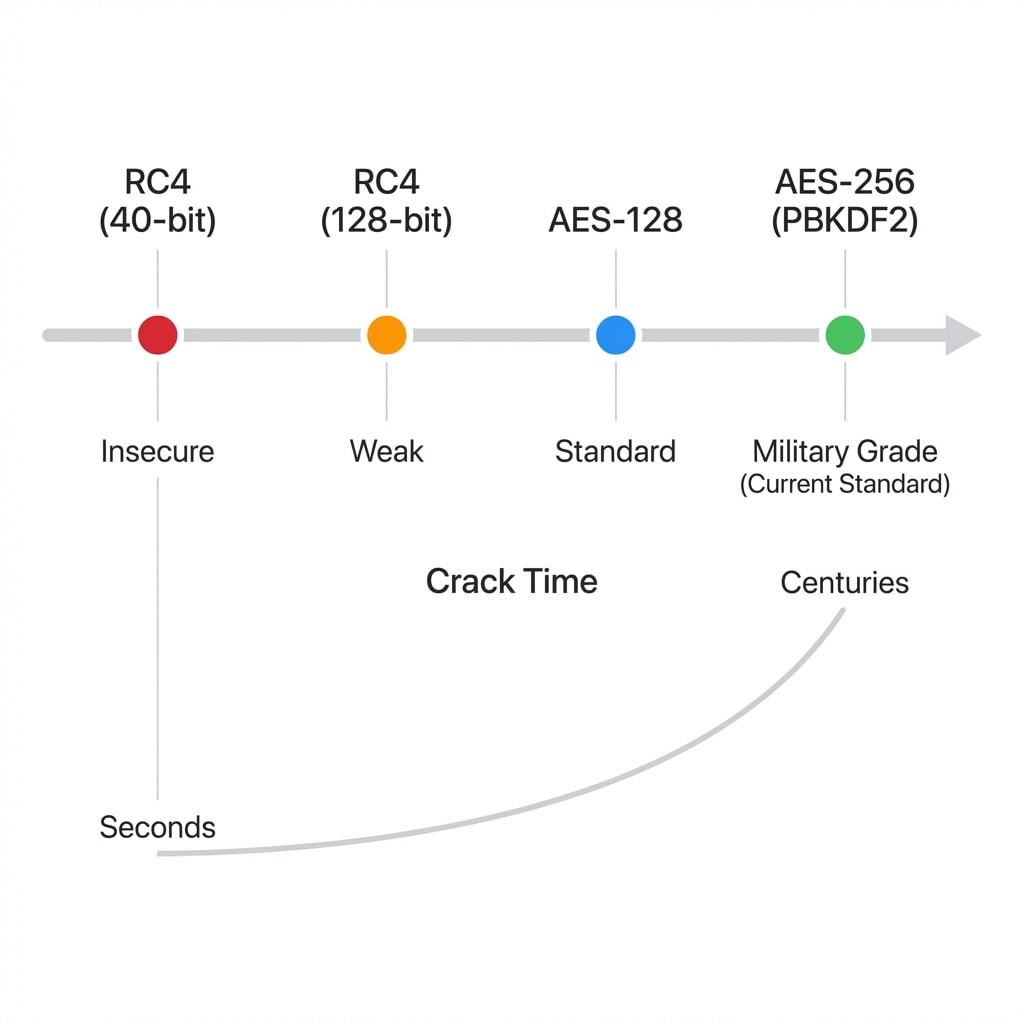
If you use Acrobat or another tool to encrypt a PDF, always choose AES-256 (compatible with Acrobat X and later). Selecting "Compatible with Acrobat 5.0" downgrades to 128-bit RC4, significantly reducing security.
PBKDF2: Making Brute-Force Attacks Uneconomical
The Revision 6 processor introduced in PDF 2.0 (ISO 32000-2) features PBKDF2 (Password-Based Key Derivation Function 2) — a "key stretching" technique:
- Salting: Each document randomly generates a 32-byte salt. Even if thousands of PDFs use the same password, the different salts produce completely different hashes
- Multiple Iterations: The hash function is looped tens of thousands to hundreds of thousands of times. Legacy MD5 required a single computation; PBKDF2 amplifies the cost of each attempt by over 100,000×
- OWASP Recommendation: PBKDF2-HMAC-SHA256 iteration count should be at least 310,000
In simple terms: PBKDF2 makes "trying one password" very slow, completely neutralizing the attacker's speed advantage.
Permission Password: A "Gentleman's Agreement"
The Permission Password (also called Owner Password) serves a completely different purpose — it doesn't prevent you from reading; it restricts your operations, such as disabling print, copy, and edit.
The Essential Difference: No Real Encryption
This is the most critical point: permission passwords typically do not encrypt document content.
When a PDF has only a permission password and no open password, anyone can open the document without entering any credentials. The restrictions are enforced entirely by the reader software's "compliance" — Adobe Acrobat sees the permission flags and grays out the "Print" button, but technically, the content is fully readable.
Permission Password = Compliance-Dependent
The effectiveness of permission restrictions depends on the reader being "compliant." Adobe Acrobat, Foxit Reader, and other mainstream software respect these restrictions, but many open-source readers and browser plugins don't even read the permission flags — they ignore all restrictions, allowing free copying and printing.
Permission Bit Mask: Fine-Grained Per-Operation Control
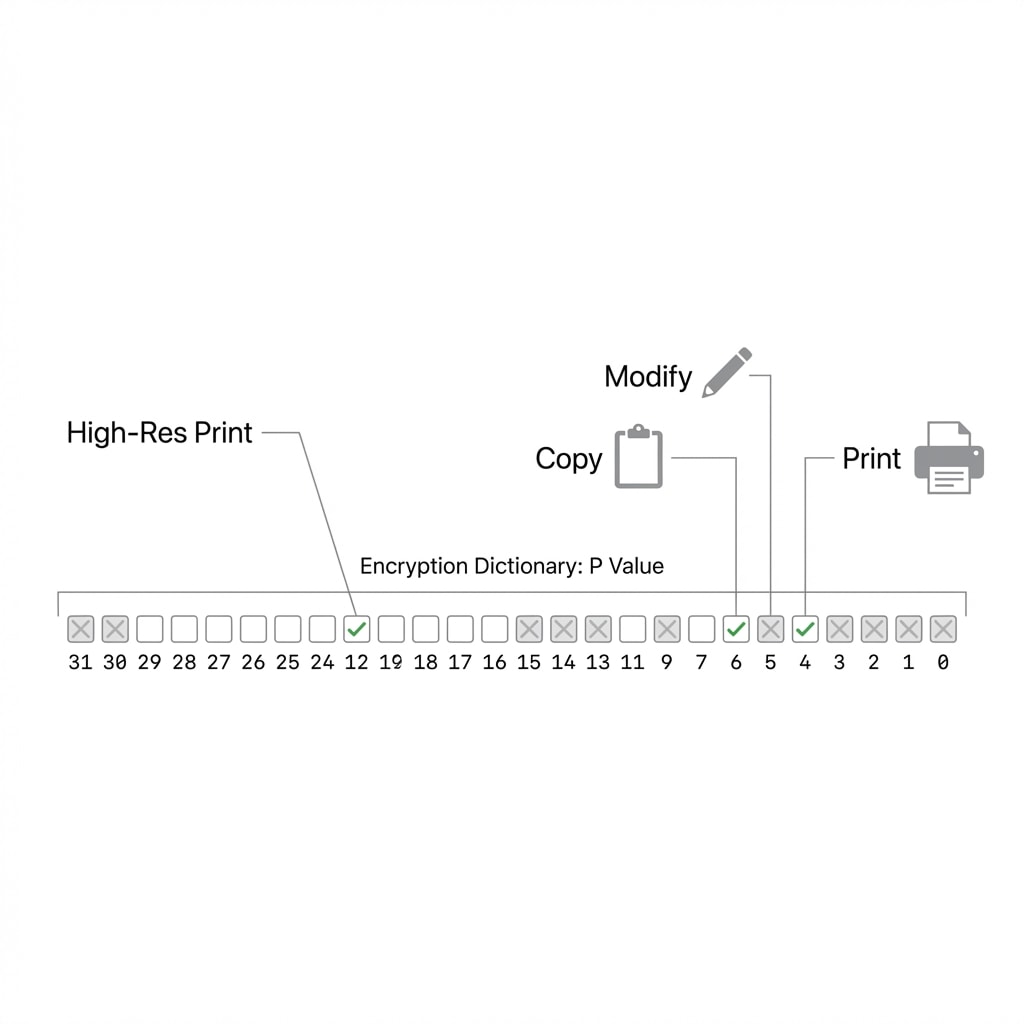
PDF permission control is implemented via the P value (a 32-bit signed integer) in the encryption dictionary. Each bit corresponds to a specific operation:
| Bit | Controls | Example Scenario |
|---|---|---|
| Bit 3 | Printing | Disable sending to printer |
| Bit 4 | Content modification | Disable text editing, page rotation |
| Bit 5 | Copy/Extract | Disable selecting text and pasting |
| Bit 6 | Annotations/Comments | Disable adding highlights and notes |
| Bit 9 | Form filling | Allow filling but disallow form structure modification |
| Bit 10 | Accessibility extraction | Allow screen readers and other assistive technologies |
| Bit 11 | Document assembly | Allow inserting/deleting/rotating pages |
| Bit 12 | High-quality printing | Bit 3 on + Bit 12 off = low-resolution printing only |
Why Can Permission Passwords Be Removed Instantly?
Permission passwords face three structural weaknesses:
- Non-compliant readers: Many open-source or third-party PDF tools don't read the P value at all, ignoring all restrictions
- Print reconstruction: Printing the restricted PDF through a virtual printer creates a new PDF with no permission restrictions
- Public algorithm: The permission password verification algorithm is public, and since the document can be opened (the decryption key is known), tools like qpdf can remove all P value restrictions instantly
Permission restrictions? Remove with one click
If your PDF opens normally but you can't print or copy, it only has a permission password. Use Unlock PDF to remove all operation restrictions with one click — no password needed.
Full-Dimension Comparison of Both Password Types
| Dimension | Open Password (User Password) | Permission Password (Owner Password) |
|---|---|---|
| Core Purpose | Protect confidentiality, prevent viewing | Manage operation scope; restrict print/copy/edit |
| Encryption Effect | AES/RC4 full encryption of data streams | Typically does not encrypt content directly |
| Cracking Difficulty | Extremely high (requires breaking AES + PBKDF2) | Extremely low (removed instantly) |
| Enforcement Basis | Cryptographic mathematical strength | Reader software's "compliance" |
| User Experience | Can't open document, prompted for password | Can read, but function buttons are grayed out |
| Use Cases | Bank statements, contracts, confidential reports | Brochures, copyright notices, internal circulation documents |
| Security Metaphor | 🔒 A combination lock on a safe | 🚧 A "Do Not Touch" sign |
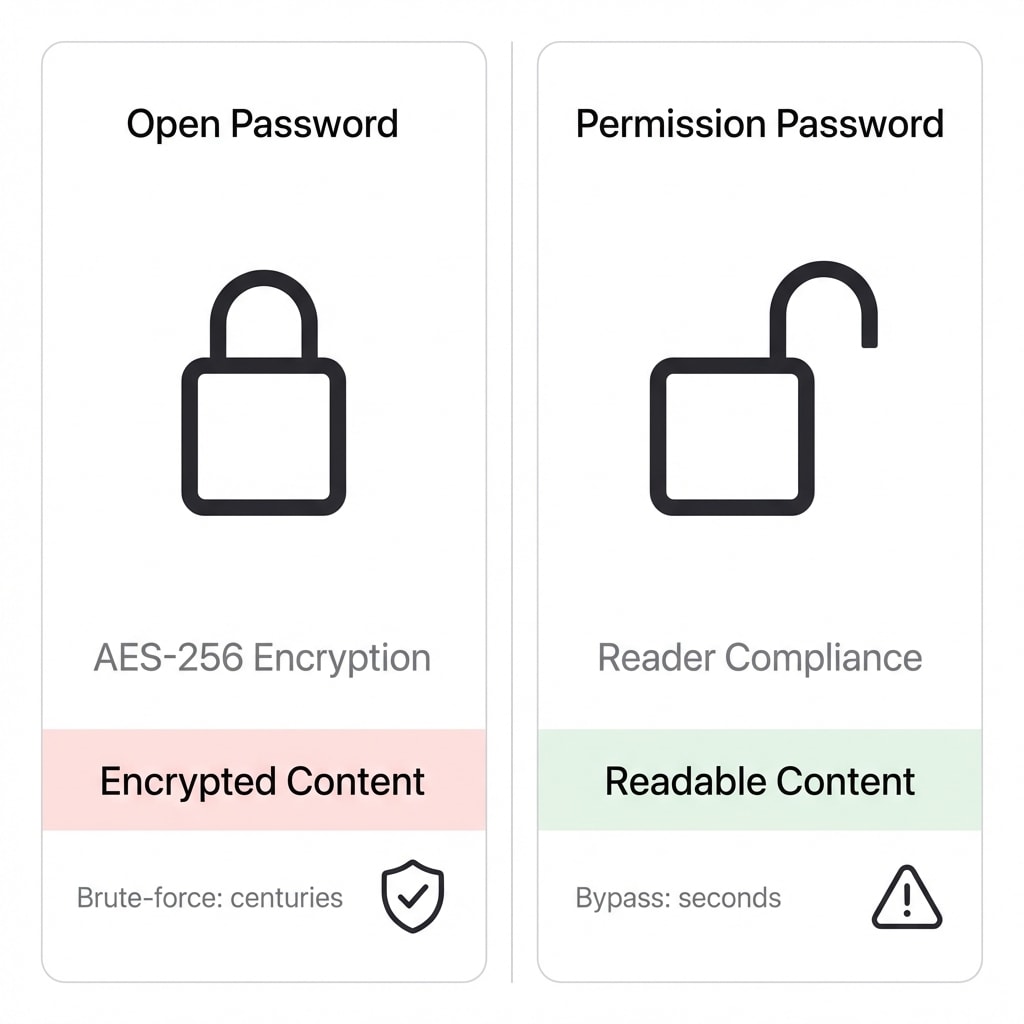
Security Recommendation: If the document requires high confidentiality, you must set an open password. Using only a permission password is equivalent to no encryption — once the content is read, the leak has already occurred.
The Real Threat Is Often Not the Algorithm
Even with the strongest AES-256 + PBKDF2, most PDF leaks still originate from "human factors":
- Password co-delivery: Sending the encrypted PDF and its password in the same email — like tying the lock and key together
- Password reuse: Using the same weak password for all protected documents, or sharing it with social media accounts
- Forgetting after temporary decryption: Removing the password for printing, then forwarding the unprotected file via an unencrypted channel
Password Transmission Advice
The encrypted PDF and its password should be transmitted via different channels. For example: send the PDF by email, and communicate the password via SMS or instant messaging.
How-To Guide
Remove Permission Restrictions
If your PDF opens but you can't copy/print/edit:
- Upload to Unlock PDF
- The tool automatically detects the permission password and removes all operation restrictions
- Download the unlocked PDF and use it freely
Unlock an Encrypted PDF
If your PDF requires a password to open (and you know the password):
- Upload to Unlock PDF
- Enter the correct password in the popup dialog
- Download the PDF that no longer requires a password
Encrypt and Protect a PDF
If you need to protect your own document:
- Upload to Encrypt PDF
- Choose the password type and permission restrictions to set
- Key point: Make sure to select the AES-256 encryption standard for maximum security
The Future of PDF Security
While password encryption remains mainstream, its inherent limitations — inability to prevent screenshots, inability to track reading history, inability to remotely destroy documents — are driving the industry toward more advanced solutions:
- Certificate Encryption (PKI): Encrypts documents with a public key; the private key is stored on a smart card or security chip, eliminating the need for password transmission
- Digital Rights Management (DRM): Transparent encryption + device binding + dynamic watermarks + reading count limits, ideal for highly sensitive commercial documents
- PDF 2.0 Enhancements: ISO 32000-2 officially deprecated all versions of RC4 and introduced AES-GCM (authenticated encryption), which can detect whether a document has been tampered with while encrypted
FAQ
Q: Is a file safe if only a permission password (print/copy restrictions) is set? A: No. Permission passwords don't encrypt content. Any non-compliant reader or unlock tool can remove the restrictions instantly. For real protection, set an open password as well.
Q: I forgot the PDF's open password. Is there a way to recover it? A: If AES-256 encryption was used and the password is sufficiently complex, it's virtually impossible to crack. Contact the original file sender to obtain the password. We will not and cannot help crack unknown passwords.
Q: Why can some PDFs be edited automatically after uploading? A: Because those PDFs only had permission passwords set. All Dpdf conversion tools automatically remove permission restrictions — this is a legal and standard operation and does not involve cracking encryption.
Q: What makes a password strong enough? A: At least 12 characters, mixing uppercase and lowercase letters, numbers, and special characters. A password with entropy of 78 bits or more, combined with AES-256 + PBKDF2, cannot be brute-forced with current technology.
Unlock PDF
Remove permission restrictions or unlock encrypted documents with a known password.
Encrypt PDF
Set open passwords and permission restrictions to protect document security.
Remove Watermark
Remove text or image watermarks from PDFs.
Add Watermark
Add text/image watermarks to PDFs for traceability.
Flatten PDF
Flatten forms and annotations to prevent further editing.
Rasterize PDF
Convert PDF pages to images, preventing text extraction.