

Watermarks are one of the most common protection and labeling methods in PDF documents, from company logos to "Internal Use Only" text marks, from draft labels to copyright notices. Use Add Watermark to apply custom watermarks to PDF files in one click, or use Remove Watermark to delete marks you no longer need.
What do you want to do? (10-second decision)
- Add a company logo or "Confidential" mark to a document -> Jump to the "Add Watermark" section
- Remove a watermark added by someone else (with legal rights) -> Jump to the "Remove Watermark" section
- Make watermarks harder to remove -> See "How to Make Watermarks Harder to Remove"
- Not sure whether to use text or image watermarks -> Keep reading
Text Watermark vs Image Watermark: Which One Should You Choose?
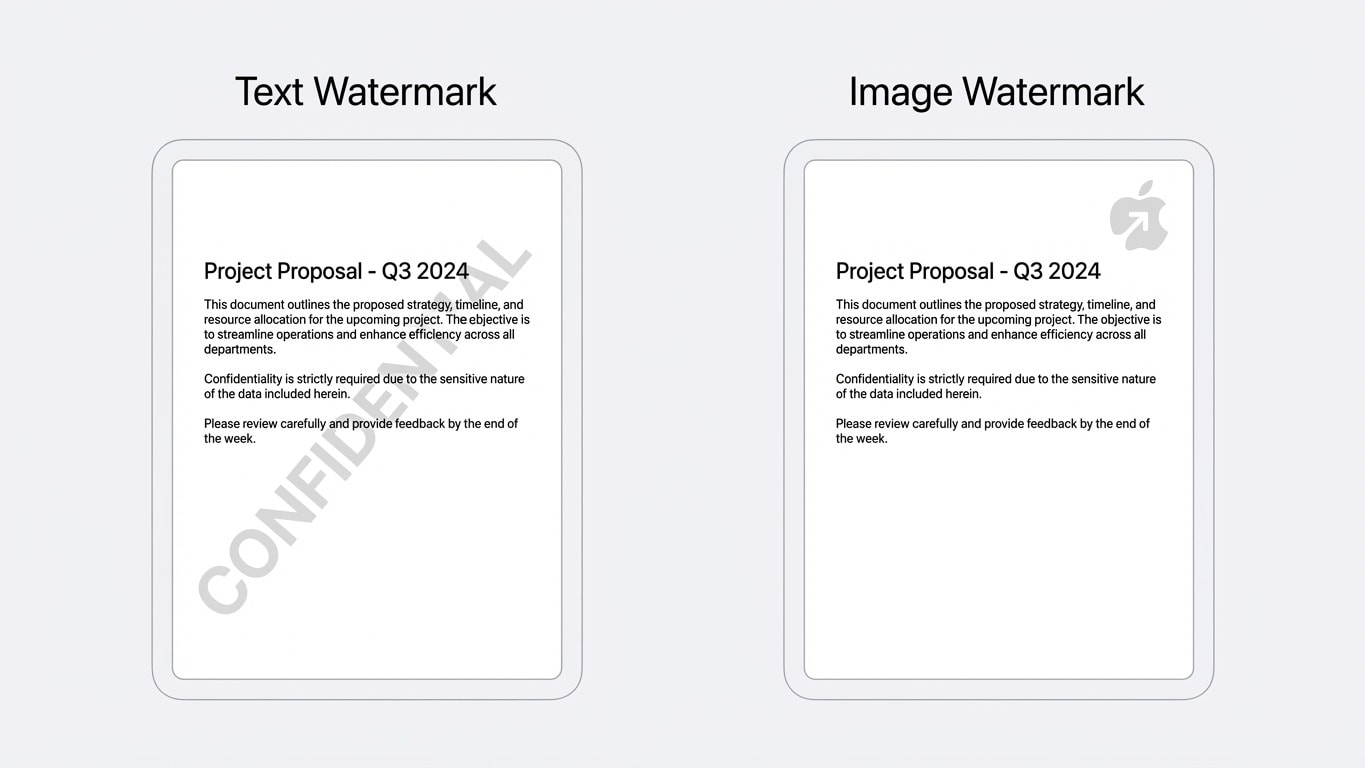
Each watermark type has its best-fit scenarios. The wrong choice may still work, but results can be much less effective:
| Comparison Dimension | Text Watermark | Image Watermark |
|---|---|---|
| Best for | "Confidential", "Draft", "For Review Only", traceable IDs | Company logos, stamps, personal signature marks |
| Opacity control | Usually 10%-20%, can cover large areas without blocking body text | Adjust by logo complexity, usually 15%-30% |
| Impact on readability | 45-degree diagonal + low opacity has minimal reading impact | Placement matters; avoid covering key tables and charts |
| Security | Broad coverage, harder to remove manually page by page | Strong visual deterrence and better brand recognition |
| File size impact | Almost no increase | Depends on image resolution, usually adds tens of KB |
You can combine both in real use
Best practice is text watermark as base coverage + image watermark as corner branding. Example: a full-page 45-degree "CONFIDENTIAL" text watermark + a semi-transparent company logo in the bottom-right corner.
Add Watermark in 3 Steps
Using Add Watermark is very simple:
- Upload PDF — Drag and drop or click to select a file
- Configure watermark — Choose text or image mode, then set content, font, size, color, opacity, angle, and position
- Download — Preview in real time, then process and download
Best Parameters for Text Watermarks
| Scenario | Recommended Text | Opacity | Angle | Font Size |
|---|---|---|---|---|
| Internal review | DRAFT / Draft | 10%-15% | 45° | Large, full-page coverage |
| Confidential documents | CONFIDENTIAL / Confidential | 15%-20% | 45° | Medium, repeated tiling |
| Copyright notice | © Company Name 2026 | 10% | 0° (horizontal) | Small, footer position |
| Traceability | Review ID / Recipient Name | 15% | 30° | Medium |
Notes for Image Watermarks
- Use PNG format (supports transparent background) to avoid white-background logos blocking text
- Recommended resolution: 300-600px width. Too large increases file size; too small looks blurry
- Place in the bottom-right or bottom-left corner to avoid covering first lines or headers
How to Make Watermarks Harder to Remove
Regular watermarks are added as independent PDF layers and can be removed technically. If you need stronger protection:
Option 1: Watermark + Flattening
First use Add Watermark, then use Flatten PDF to merge the watermark into page content. After flattening, the watermark is no longer a separate layer and cannot be removed easily.
Option 2: Watermark + Rasterization
For stricter security needs, use Rasterize PDF to convert each page into an image. After rasterization, not only can watermarks no longer be separated, text also cannot be selected or copied, providing the strongest protection level.
The tradeoff of rasterization
Rasterization turns text in PDF files into images, which removes searchability and editability, and also increases file size. Use only when you clearly need a "non-copyable" document.
Complete Protection Workflow for Bids/Proposals
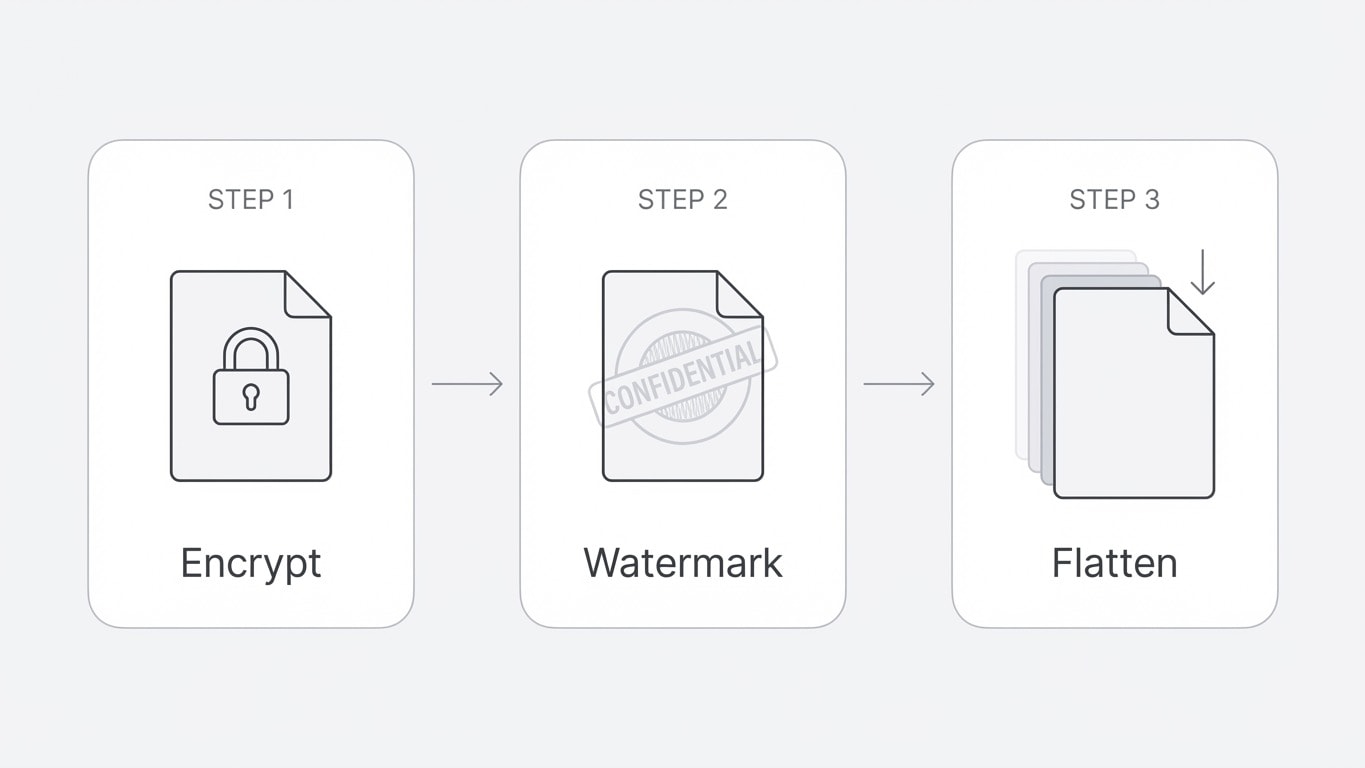
If you are preparing a bid or business proposal, follow this order:
- Encrypt PDF — Set permission restrictions (disable copy/print/edit)
- Add Watermark — Apply company name or "For Bidding Only"
- Flatten PDF — Solidify all editable elements
Remove Watermarks: Legal Scenarios and Technical Limits
Remove Watermark can intelligently detect and remove watermark layers in PDF files. But there are a few important prerequisites:
Legal compliance reminder
Before removing watermarks, make sure you have legal rights. Removing someone else's copyright watermark without authorization may be illegal. Common legal scenarios include:
- Removing your own "Draft" mark after finalizing the document
- Removing output watermarks automatically added by trial tools
- Removing expired internal review marks
Which Watermarks Can Be Removed?
| Watermark Type | Removable? | Notes |
|---|---|---|
| Text watermark on an independent layer | ✅ Usually yes | The tool detects and removes watermark layers automatically |
| Image watermark on an independent layer | ✅ Usually yes | Includes logo and stamp image watermarks |
| Flattened watermark | ❌ Usually no | Already fused into page content and cannot be separated |
| Rasterized watermark | ❌ No | Whole page is already an image; watermark is part of pixels |
| Printed then scanned document | ❌ No | Watermark is now part of the scanned image |
How to Remove Watermarks
- Upload the target PDF to Remove Watermark
- The tool automatically detects and marks watermark elements
- Confirm and download the watermark-free version
Cannot remove it? Try alternatives
If the watermark is flattened and cannot be removed directly, you can try:
- Use PDF to Word to export, manually delete watermark elements, then convert back to PDF
- Contact the original file author for a clean watermark-free version
Quick Scenario Reference
| Your Need | Recommended Workflow | Result |
|---|---|---|
| Add a company stamp to contracts | Add image watermark (Logo PNG) -> Flatten | Logo is fused on every page and cannot be removed |
| Mark as "Draft" for review | Add text watermark (DRAFT, large and semi-transparent) | Clearly indicates document status and can be removed after finalization |
| Anti-plagiarism for bids | Encrypt -> Add Watermark -> Flatten | Three-layer protection, significantly raising plagiarism cost |
| Remove trial-tool watermark | Use Remove Watermark directly | Smart detection and removal of trial marks |
| Add traceable IDs per document | Add text watermark (recipient name/ID) | Source can be traced if leaked |
Related Tools
Add Watermark
Text/image watermarks with full control over opacity, angle, and position.
Remove Watermark
Smartly detect and remove watermark layers from PDF files.
Flatten PDF
Solidify watermarks and annotations to prevent secondary edits/removal.
Rasterize PDF
Convert full pages to images so both watermarks and text cannot be separated.
Encrypt PDF
Use with watermarks: set permission restrictions to block copy and edit.
PDF to Word
Watermark won't come off? Export to Word for manual editing.