
PDF won't open, showing "file is corrupted / can't be read / unexpected end of file"? Do one thing first: use Repair PDF to output a more compatible new file. As long as the file isn't 0 KB and the main content objects are still present, many issues are structural corruption that can be resolved by "rewriting the structure / rebuilding the index"; but if the file lost most of its bytes during an interrupted transfer, the missing content cannot be recovered from thin air.
10-Second Check: Can Your PDF Be Repaired?
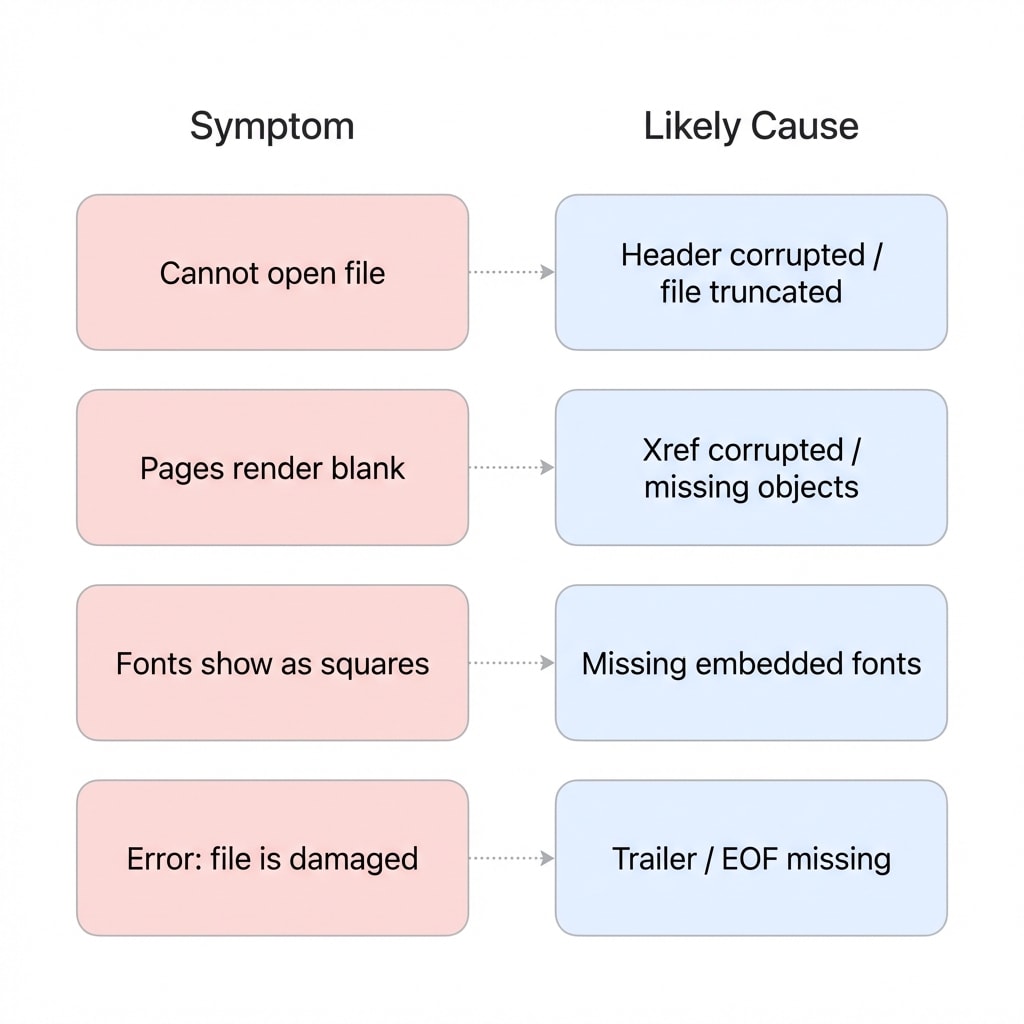
- Some pages are blank / fonts display as squares: Likely repairable — usually caused by broken references or font resource loading failures.
- Can't open at all / shows "file is corrupted": Many can still be repaired — typically caused by a corrupted Xref index or Trailer information.
- File size is 0 KB: Content is lost and cannot be repaired — you need to re-obtain the file from the source.
- Encrypted PDF (requires password to open): Unlock first (with the known password), then repair; repair will not bypass password encryption.
Online Repair: 3 Steps
Do 2 Checks Before You Start (Saves a Lot of Time)
- Make a copy of the original file first: Repair/Save As generates a "new file", but you should still keep the original for retries.
- Verify the file is complete: Compare the file size with the source; if it's noticeably smaller, re-download or re-transfer first before attempting repair.
Step 1: Upload the Corrupted PDF
Open Repair PDF and drag the file into the upload area. Guest/free users typically support up to 100 MB per file; Pro users have higher limits (check the page for details). The tool automatically detects the file status and begins repair.
Step 2: Wait for Automatic Repair
The tool performs the following operations in the background — no manual intervention needed:
- Scans and rebuilds entry information — attempts to help readers relocate objects and pages (e.g., Xref/Trailer)
- Re-saves with the repair engine — preserves readable content and rewrites internal structure
- Further cleanup/rewriting if needed — removes invalid references, improves compatibility (easier for readers to open)
- Outputs a new PDF for download and verification — repair does not "magically recover" lost bytes
Step 3: Download and Verify
After repair is complete, download the file and check the following:
- Flip through every page to confirm content is intact
- Check that images display correctly
- Ctrl+F to test if text is searchable (scanned documents are naturally not searchable — this is normal)
- Page count matches the original file
Repair ≠ Magical Recovery
Repair tools can fix structural corruption but cannot recover lost content. If the file is largely missing (e.g., only 10% of the download completed), only partial pages may be available after repair — get the file from the source again. Additionally, repair/rewriting may cause digital signatures to become invalid or some interactive elements to change (results may vary).
Troubleshooting
| Symptom | Cause | Solution |
|---|---|---|
| Still won't open after repair | File truncated / large sections of content objects missing, or corruption exceeds repair capability | Re-obtain from the source; for email/cloud transfer, try using a link or compressed archive instead |
| Some pages are blank | Corresponding content objects missing or resource loading failed | Continue using the file; use Remove Pages to clean up blank pages |
| Fonts display as squares/garbled | Embedded fonts corrupted or missing | Use PDF to Word with substitute fonts; for scans, use OCR to re-recognize |
| Upload shows "unsupported format" | Header completely corrupted, cannot recognize %PDF- signature | Confirm the extension is .pdf; use a text editor to check if the file starts with %PDF- |
Why Many PDFs Can Be Fixed: The Index Is at the End
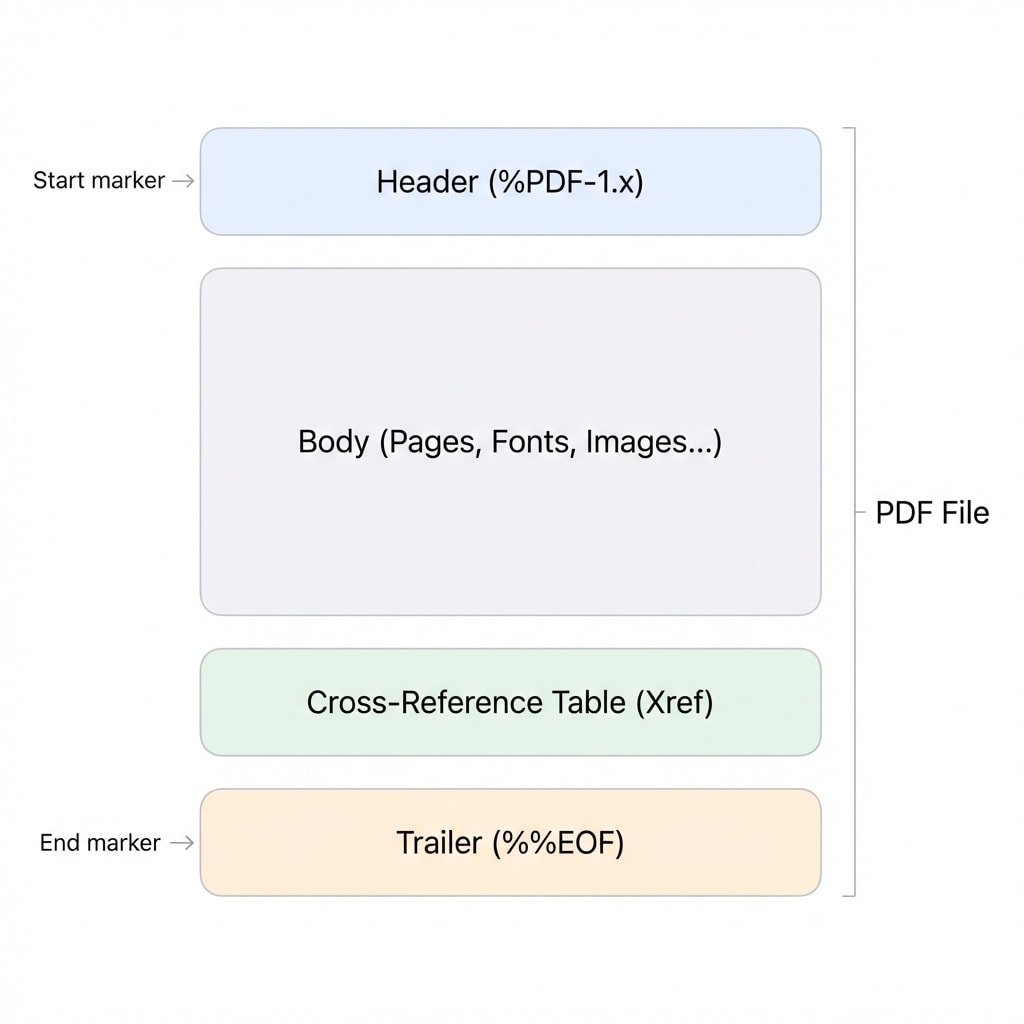
Many PDFs that "won't open" aren't actually missing all their content — the tail entry information is broken: the reader can't find "where to start reading and where the objects are." What repair tools typically do is: preserve existing content objects as much as possible, then rewrite the structure and make the index usable again.
| Section | Purpose | Typical Symptom When Corrupted |
|---|---|---|
| Header | Version declaration at the file beginning (%PDF-1.x) | Cannot be recognized as PDF, no reader can open it |
| Body | Content objects: pages, fonts, images, etc. | Some pages blank, images missing, font anomalies |
| Xref | Cross-reference information (may be a table or PDF 1.5+ Xref stream) | Page jumps are chaotic, pages fail to render |
| Trailer + startxref + %%EOF | Records key entry points and points to Xref; %%EOF marks the end | Shows "file is corrupted" or "unexpected end of file" |
Analogy
Think of a PDF like a book: Header is the cover, Body is the text content, Xref is the table of contents, Trailer is the back cover saying "The End." If the table of contents is torn out, the book is still there — what the repair tool does is rebuild the table of contents.
Four Common Causes of Corruption and Repair Expectations
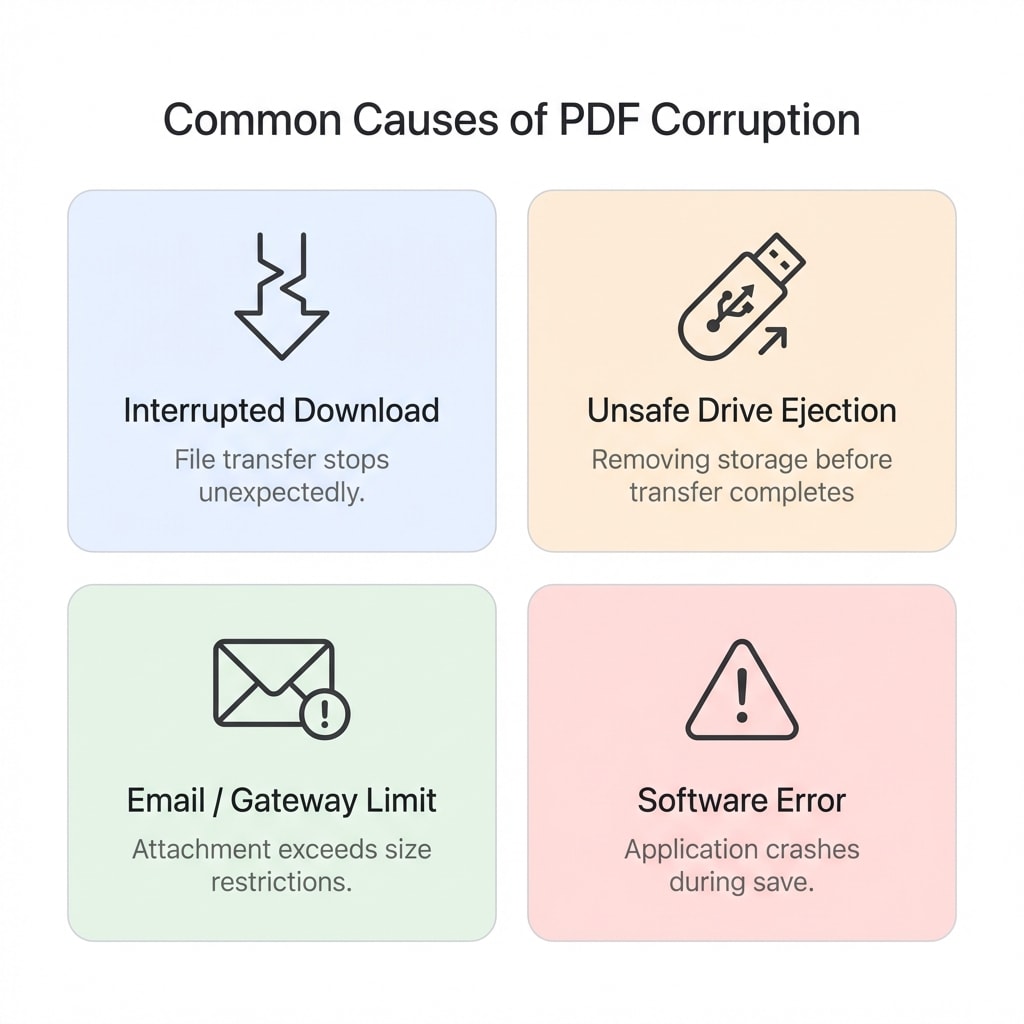
| Cause | Typical Scenario | Symptom | Repair Expectation |
|---|---|---|---|
| Interrupted download/transfer | Network disconnection, cloud sync conflict, messaging app truncation | File is undersized, reports "unexpected end of file" | If only the tail is incomplete, often repairable to openable; if only a small fraction was transferred, only the received portion can be recovered |
| Storage device failure | USB drive unsafely ejected, hard drive bad sectors, NAS conflict | Normal file size but errors on open | Often repairable; if storage caused random byte loss, results may be inconsistent |
| Email/gateway restrictions | Corporate email gateway size/security policy limits | Send failure/bounce; recipient's attachment is corrupted | Depends on whether the file arrived intact; for important files, use cloud links or compressed archives instead |
| Software write errors | Crash during editing, print driver bugs, merge tool errors | Font anomalies, misaligned images, duplicate pages | Usually repairable to openable; whether interactive elements are preserved depends on the repair method |
Related Tools
Repair PDF
Upload a corrupted PDF, automatically fix the file structure and download.
OCR (Searchable PDF)
Turn scanned documents into searchable PDFs as the foundation for further conversion.
PDF to Word
Export PDF to an editable Word document; OCR available for scans.
Compress PDF
Reduce file size to meet email or upload size limits.